Read your monthly Statement
Statement shows how each month went: the Pro receipt of what you kept, the month in numbers with a health score, savings movements, this week's brief and the year so far.
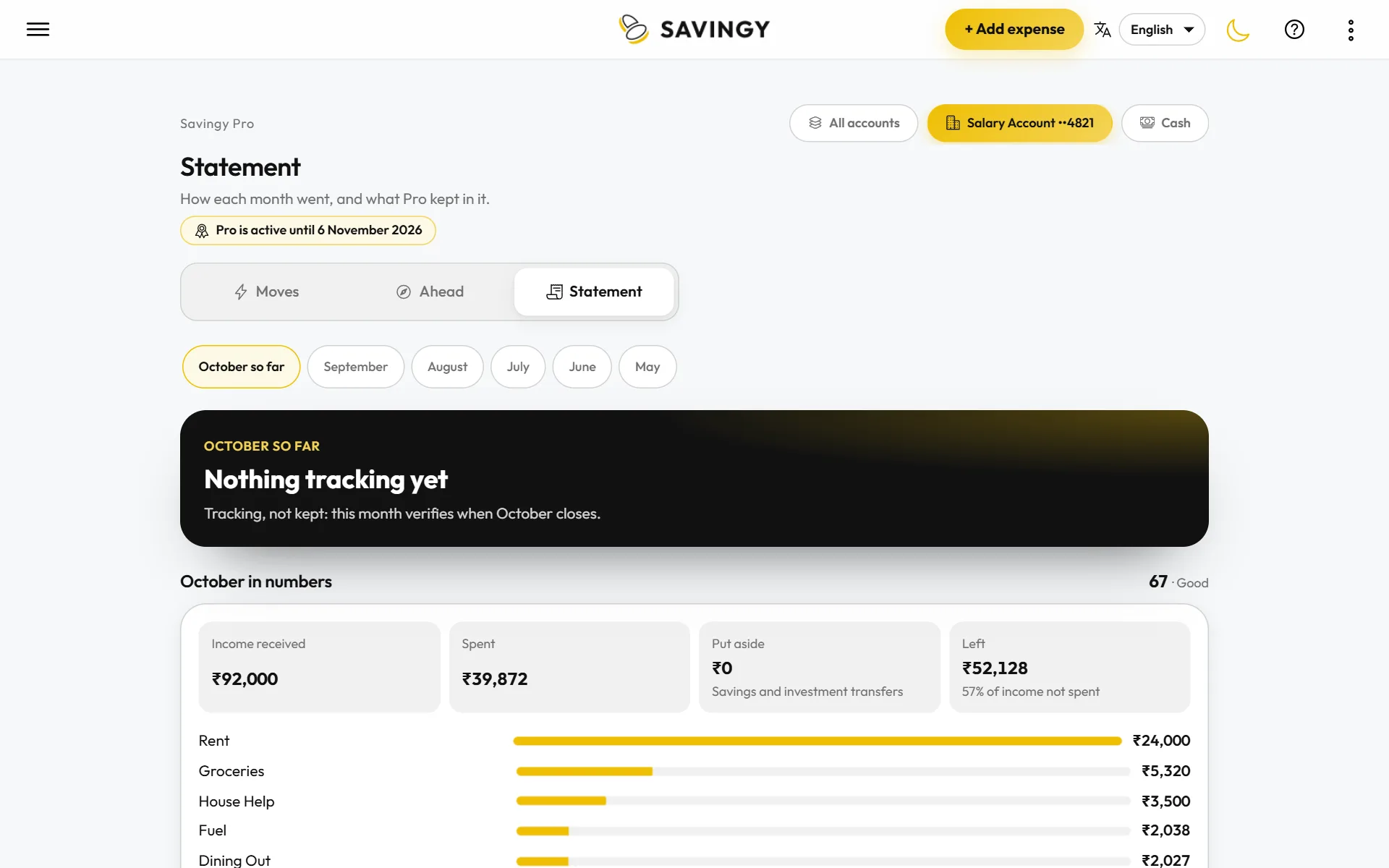
- 1Pick a month
- 2The Pro receipt
Why use it
It is the honest look back: what changed, what stuck, and what did not.
Pro: Without Pro you still see each month in numbers, the health score and the receipt totals; "The line-by-line receipt is part of Pro." After Pro ends, Statement shows the unlock card instead. See what Pro includes.
Before you start
- Signed in
How to do it
Open "Statement". The newest month is selected; the running month is labelled "<month> so far".
Tap a month tab to see another month.
Read the receipt. A closed month shows what you kept, "verified against your usual spending once the month closed". The running month shows what is "on pace".
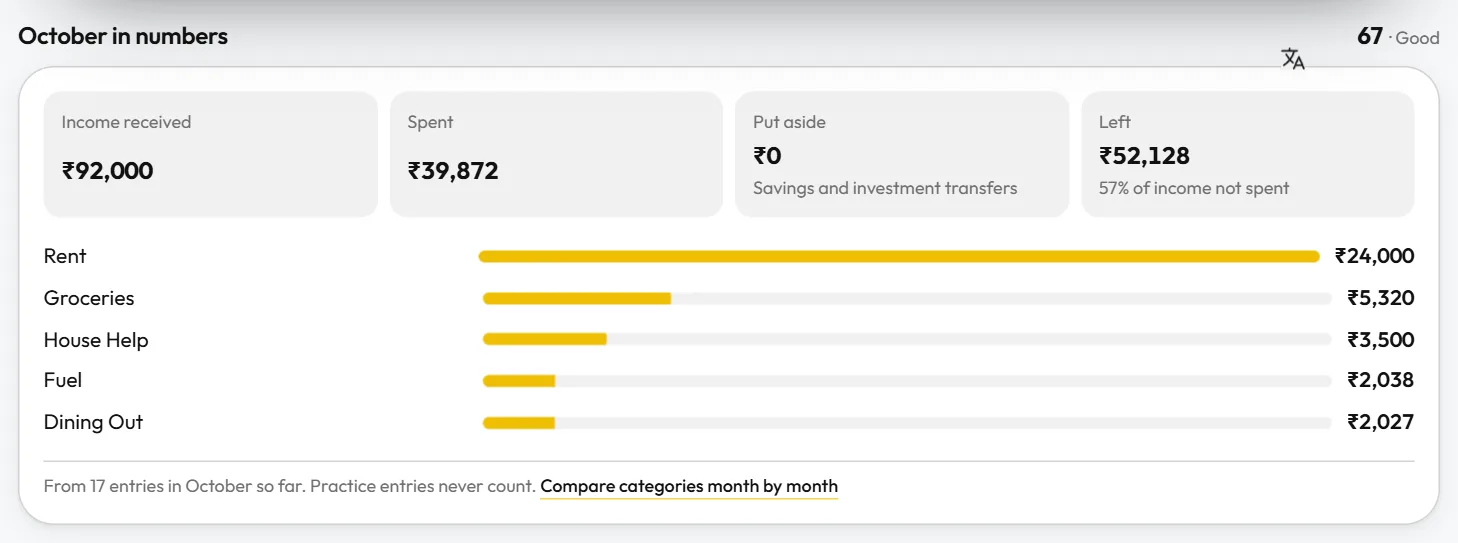
Scroll to "<month> in numbers" for "Income received", "Spent", "Put aside", "Left", your biggest categories and the health score.
For a closed month with a kept amount, tap "Save the receipt" to share it or save it as an image.
Under "This week", tap "Write this week's brief" for a short comparison of the last seven days with your recent weeks.
What happens next: You see the month's figures and, for closed months, exactly what was verified.
Why only closed months show "kept"
Savingy checks a month only after it ends, against your usual spending in each category. The running month is "Tracking, not kept". A closed month with no result says "Nothing verified in <month>": either no move was committed or none stuck. Moves that did not stick are listed with "Re-arm in Moves".
Health score and "Put aside"
The month in numbers comes from your own entries; practice entries never count. "Put aside" is your savings and investment transfers. "Compare categories month by month" opens Compare months on Moves.
Read, print or export
- "Your money briefings" opens Digest.
- "A report for any period" opens Reports (Pro).
- "All your data" opens Data Management. Exporting your data is free on any plan.
If something goes wrong
"This month's receipt could not be loaded."
Tap "Try again" next to the message.
"Your brief was updated recently. Please try again tomorrow."
The weekly brief can be written once every 24 hours. Your latest brief stays on screen.
"This browser cannot draw the image."
Try "Save the receipt" in another up-to-date browser.
"No entries in <month>."
There are no entries dated in that month. Add past entries from Add Record if you want that month counted.