Build a long-term plan in the Strategic Planner
Answer a cashflow step and a five-question risk quiz to get an emergency-fund target, an investment mix, a monthly SIP for each goal, and with Pro, a debt payoff plan and plan-vs-actual tracking.
Why use it
It turns your income and spending into one long-term plan you can check against what you actually do.
Pro: Signed out, the planner works in your browser and the SIP calculator is free. Signed in, saving the plan to your account, the debt payoff planner and plan-vs-actual are Pro; without Pro they show a locked preview with a way to get Pro. See what Pro includes.
Before you start
- None for the in-browser version
- Signed in with Pro or an active trial to save the plan to your account
How to do it
Open the Strategic Planner. Signed in, your income and expenses are filled in from Savingy and marked "(from your Savingy data)".
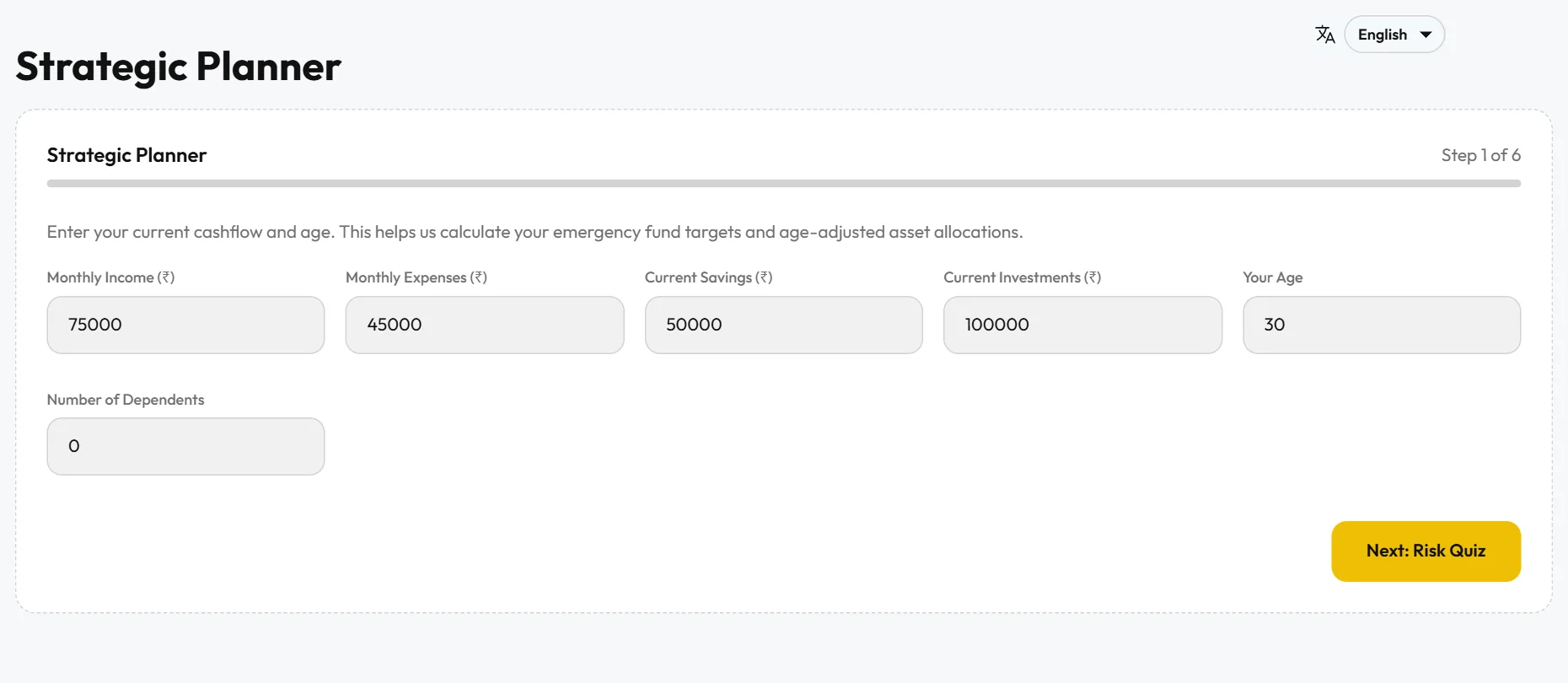
Check "Monthly Income (₹)", "Monthly Expenses (₹)", "Current Savings (₹)", "Current Investments (₹)", "Your Age" and "Number of Dependents", then tap "Next: Risk Quiz".
Answer the five risk questions and tap "Review & Generate".
Read your emergency-fund target, investment mix and plan readiness score.
Add a goal with a name, a target amount and years to see the monthly SIP it needs. Tap "Track in Savingy Goals →" to create it as a goal.
With Pro, add loans with "+ Add Loan / EMI", choose "Avalanche (Highest Rate)", "Snowball (Smallest Balance)" or "Prepay vs. Invest", and review "Plan vs. Actual Performance".
What happens next: You have an emergency-fund target, an investment mix and a SIP for each goal.
What to fill in
| Field | What it needs |
|---|---|
| Monthly Income (₹) / Monthly Expenses (₹) / Your Age | Income and age must be more than 0; expenses cannot be negative. |
| Goal name, target amount and years | All three are required; amount and years must be positive. |
| Loan details | Outstanding amount, rate, EMI and tenure must all be positive numbers. |
Signed out or signed in
Signed out, the plan is kept only in this browser. Signed in with Pro, it is saved to your account and stays in sync. With Pro, the planner also shows re-check reminders at 3, 6 and 9 months and an annual review at 12 months.
The SIP calculator on the same page
"SIP calculator — see compounding work" is free for everyone: monthly investment from ₹500 to ₹2,00,000, 1 to 40 years and 4% to 18% a year. Projections are for education, not investment advice.
Tips and examples
- "Find the missing ₹…" in Plan vs. Actual opens Moves so you can close the gap.
If something goes wrong
"Could not load your plan."
Tap the retry button. If you are signed in without Pro, the saved plan is a Pro feature.
"Build your financial plan first."
Finish the cashflow step and the risk quiz before adding goals.
I reset my plan but it came back after reloading.
Reset clears the plan on screen only; your saved plan reloads. Generate a new plan to replace it.