Export a copy of your personal data from Profile
"Export My Data" in Profile downloads a small JSON file with your profile details, this month's plans and your active goals. For a fuller copy of your records, use a backup.
Why use it
Get a quick copy of the personal details Savingy holds about you.
Before you start
- You are signed in.
How to do it
Open "Profile / More" from the sidebar. On a phone, open the menu with ☰ first.
Scroll to "Privacy Rights & Integrations" and find "Export Data (DPDP Rights)".
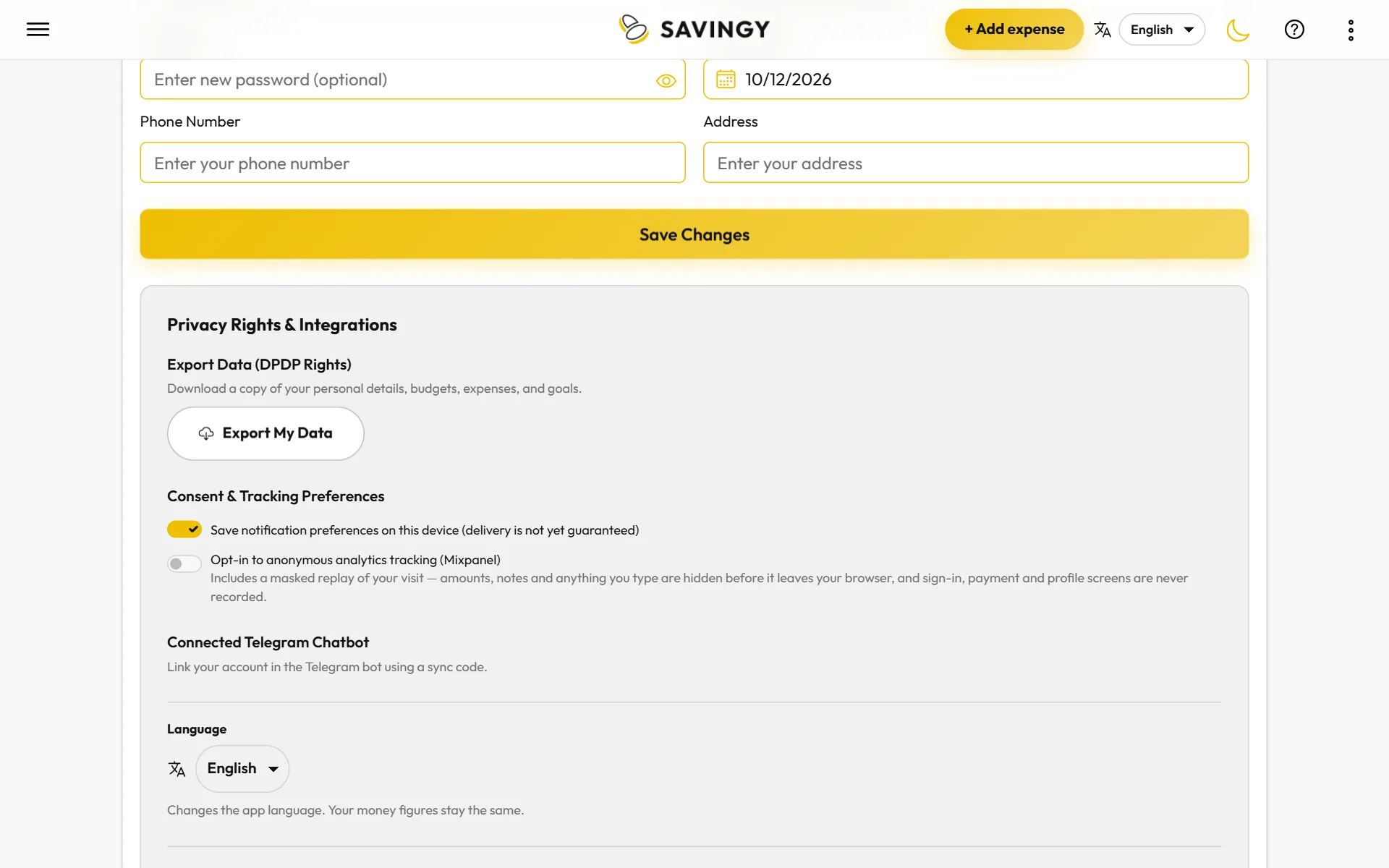
- 1Export My Data
- 2Analytics switch
Tap "Export My Data". The button shows "Exporting…".
Your browser downloads a file whose name starts with savingy_data_export and ends in .json, and you see "Data exported successfully!".
What happens next: A .json file you can open in any text editor.
What the file contains
- The date and time of the export.
- Your profile: name, email, phone, date of birth, address, a link to your photo, and your level.
- Your monthly plans (budgets) created in the current calendar month.
- Your active goals. Finished goals are not included.
- An "expenses" list. At the moment this list always comes out empty because of a fault in the export, even if you have entries.
What it does not contain
The text above the button says it includes your expenses, but it does not include any expenses, income, past months' plans, bills, bank and cash accounts, coins or receipts. If you have picked one account in the account chips on another screen, the plans in the file come from that account only.
For a fuller copy of your records, use "Create Backup" on Data Management. See /help-center/back-up-and-restore. For anything neither file includes, contact support.
If something goes wrong
The file downloaded but a section is empty.
Savingy still downloads the file and shows "Data exported successfully!" even if part of it could not be fetched. Try again later, use a backup for your entries, or contact support for a complete copy.
Nothing happens when I tap "Export My Data".
Your session may have ended. Reload the page, sign in again if asked, and try once more.