Create a savings goal
Name what you are saving for, set a target and a deadline, and Savingy shows how much to set aside each month, week and day, and whether it fits your free cash this month.
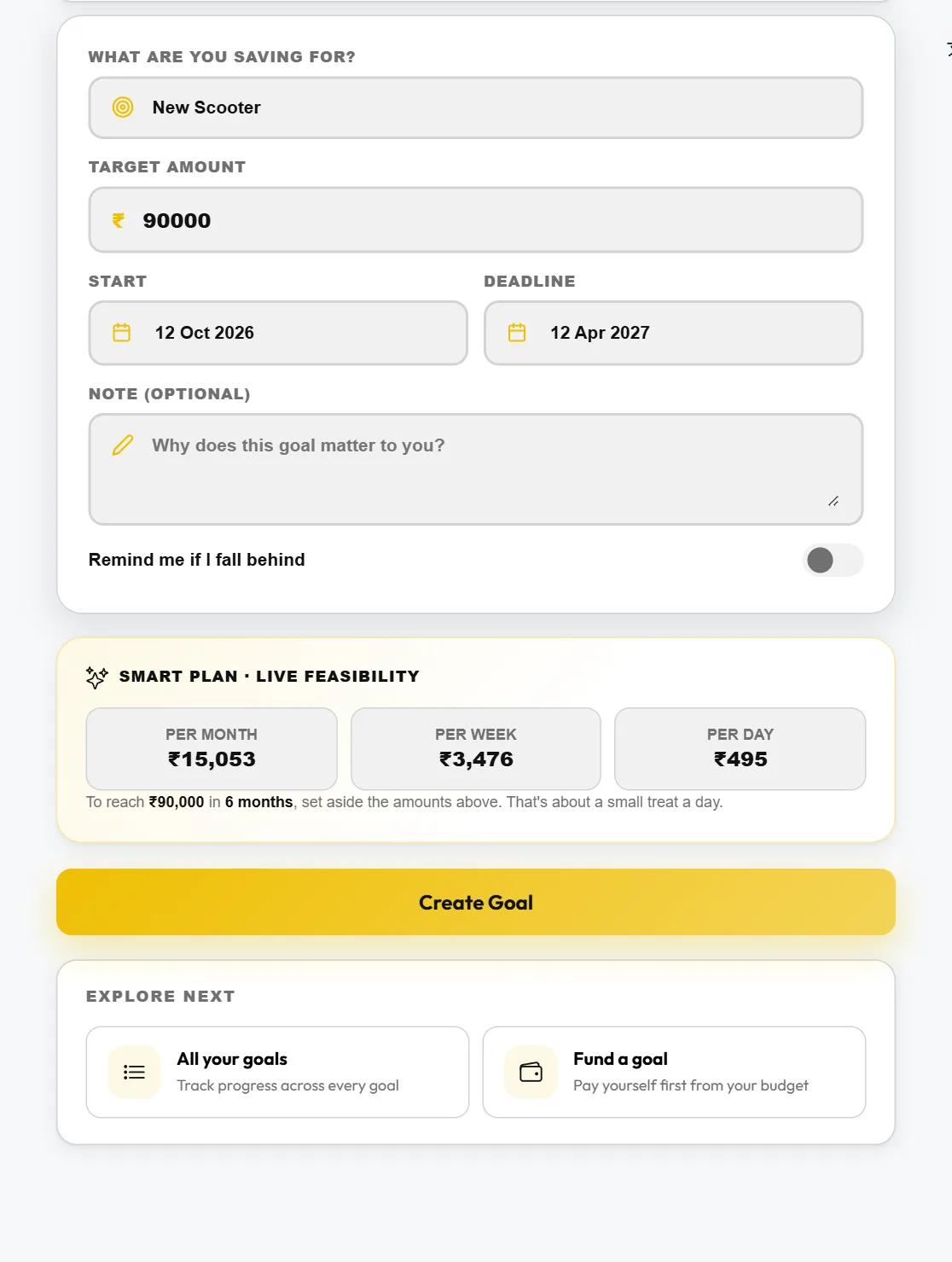
- 1What are you saving for?
- 2Target amount
- 3Start and Deadline
- 4Smart Plan · live feasibility
- 5Create Goal
Why use it
A goal with a date turns a vague wish into a monthly amount you can plan for. Savingy then tracks your progress and pace for you.
Before you start
- You are signed in and have finished the guided start (Level 0). During the guided start, "New Goal" takes you back to your setup steps.
- For the affordability verdict: a plan for this month (see /help-center/your-monthly-plan).
How to do it
Open Goals & bills and select "New Goal". If you have no goals yet, select "Create a Goal" instead.
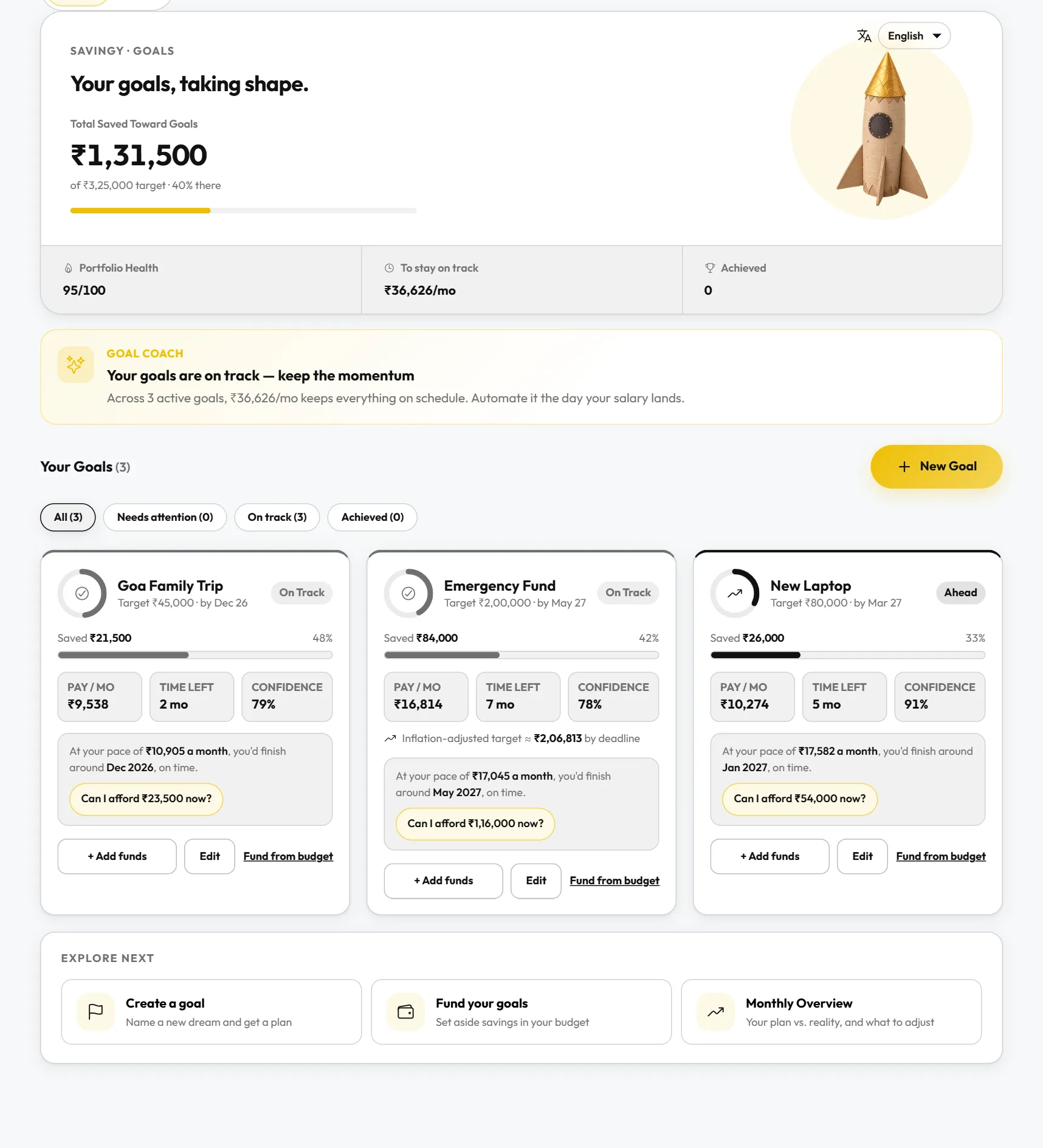
- 1New Goal
In "What are you saving for?", type a clear name, for example "Goa Trip" or "Emergency Fund".
In "Target amount", enter the total you need in rupees.
Check "Start" (today by default) and pick a "Deadline" (six months from today by default). The deadline cannot be earlier than the start date.
Optionally add a "Note" about why this goal matters to you.
Read the "Smart Plan · live feasibility" card. It shows the amount per month, per week and per day, and a verdict on whether it fits this month's free cash.
Select "Create Goal".
What happens next: You see "Goal "<name>" created successfully!" and land on Goals & bills, where your new goal has its own card with progress, "Pay / mo", time left and a confidence figure.
What to fill in
| Field | What it needs |
|---|---|
| What are you saving for? | Required. If it is empty, the field is outlined and you see "Please check the highlighted fields." |
| Target amount | Required. Must be a number greater than zero. |
| Start | Today by default. If you move the start past the deadline, the deadline moves to six months after the new start. |
| Deadline | Six months from today by default. Must not be before the start date. |
| Note (optional) | Any text. Shown nowhere else; it is for you. |
What the verdict means
Savingy divides the target by the months until the deadline, then compares that monthly amount with your free cash this month. Free cash is this month's income (the planned income, or what you have actually received if that is higher) minus everything budgeted in your plan, including savings and investments.
This is plain arithmetic on your own plan. No AI model is involved, even though the screen uses a sparkle icon.
- "Very comfortable": the goal needs half or less of your free cash.
- "Achievable": it needs up to 85% of your free cash.
- "Tight": it needs nearly all of it. Consider a later deadline.
- "Over your free cash": it needs more than you have free. Extend the date or lower the target.
- "No free cash yet": there is no plan, or the plan has nothing left over. Set up a budget first so the check can work.
Other ways to start a goal
- In Ask, type something like "save 20k for a Goa trip by December". Ask shows a goal draft you confirm by holding the button. See /help-center/ask-about-goals-and-bills.
- In Ask, after a purchase check, choose "Save towards it".
- In the Strategic Planner (Pro), a goal can be sent to Goals with its name, target and timeline filled in.
Tips and examples
- Pick a deadline you can live with. A later date lowers the monthly amount and usually moves the verdict from "Tight" to "Achievable".
- The "Remind me if I fall behind" switch is not saved with the goal yet, so it does not send any reminder. Check the goal's status on Goals & bills instead.
- Emergency Fund, ₹2,00,000 by next December
- Goa Trip, ₹45,000 in 3 months
If something goes wrong
"Please check the highlighted fields."
Fill in the outlined field: the name, a target above zero, or a deadline that is not before the start date.
The verdict says "No free cash yet".
Set this month's plan, or leave some income unbudgeted. See /help-center/your-monthly-plan.
Selecting "New Goal" takes you to your setup steps.
Finish the guided start first. See /help-center/level-0-guided-start.
"Please log in to create a goal."
Your session has ended. Sign in again and reopen the page.