Add and manage your bank and cash accounts
Tell Savingy where your money lives — bank accounts, credit cards, cash, wallets or UPI — and see each one's month at a glance. Set a default, archive old ones and restore them.
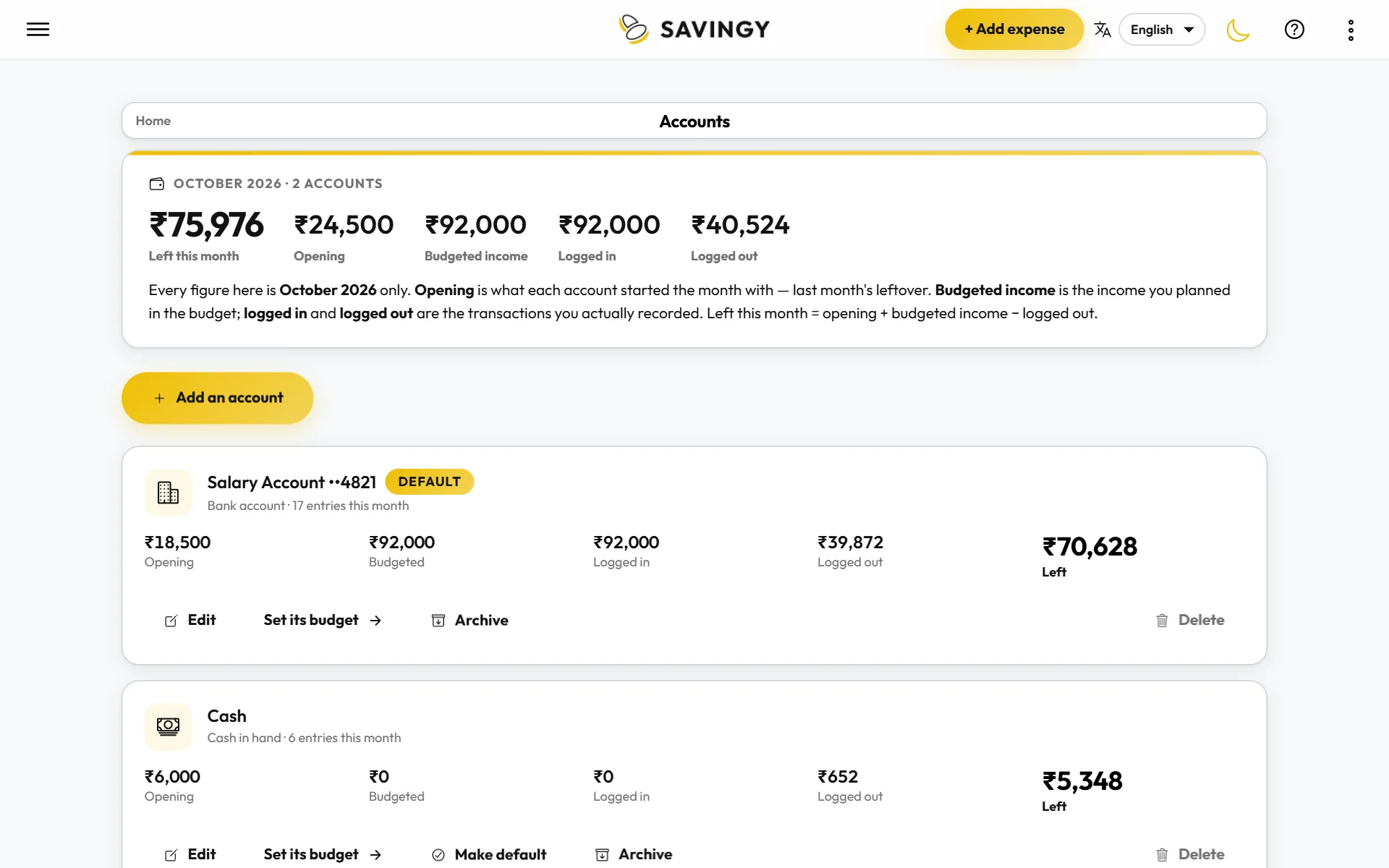
- 1This month across your accounts
- 2Edit, Make default, Archive and Delete
Why use it
Every income, expense and budget belongs to one account, so separate accounts keep your salary account, cash and cards from blurring together.
How to do it
Open the menu and choose ACCOUNT › "Accounts".
Select "Add an account".
Fill in "Name", "Type", "Last 4 digits" (optional) and "Opening balance".
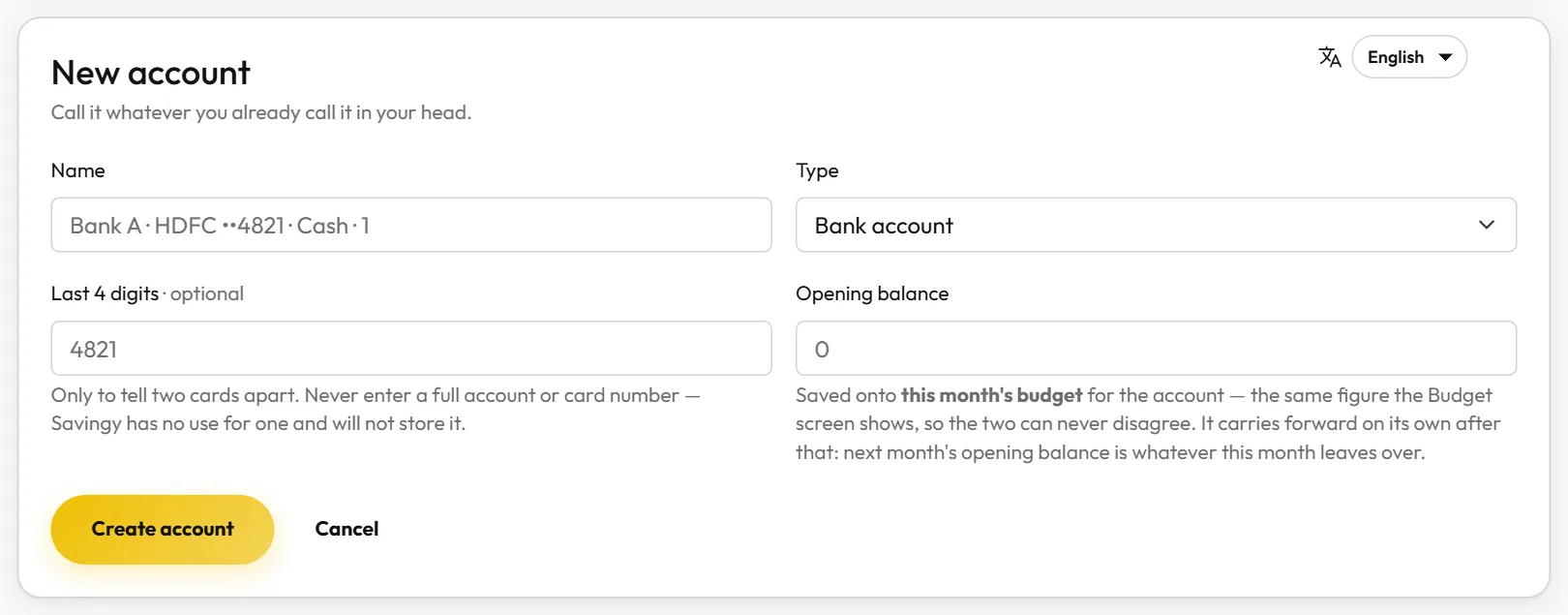
- 1Name it the way you think of it
- 2Only the last 4 digits, never the full number
- 3What it holds at the start of the month
Select "Create account".
What happens next: A card for the new account appears with "Opening", "Budgeted", "Logged in", "Logged out" and "Left" for this month.
What to fill in
| Field | What it needs |
|---|---|
| Name | Required, up to 60 characters, and different from your other accounts ("Give the account a name.", "You already have an account with that name."). You can keep up to 50 accounts. |
| Type | Bank account, Credit card, Cash in hand, Wallet / UPI or Other. |
| Last 4 digits | Optional, digits only, at most 4. Only to tell two cards apart. |
| Opening balance | Whole rupees; a minus sign is allowed. Leave it at 0 if the account is empty. |
Reading the figures
Every figure is for the current month only. "Opening" is what the account started the month with, "Budgeted" is the income you planned for it, and "Logged in" and "Logged out" are the entries you recorded. "Left" = opening + budgeted income − logged out.
This is not a bank balance: Savingy is not connected to any bank. Amounts on this screen are always shown in ₹.
Default, archive, restore and delete
- "Make default": new entries land in this account unless you pick another. The account shows a "Default" badge.
- "Archive": hides the account from the account chips but keeps its history. You cannot archive your only account.
- "Show archived accounts" › "Restore": brings an archived account back.
- "Delete": only works while the account holds no expenses, income or budgets, and it happens straight away with no confirmation step. Use "Archive" for anything with history.
- "Edit": rename the account or change its type, last 4 digits or opening balance, then "Save changes".
Choosing an account on other screens
Money, Tracker, Add Record, Plan and other screens show account chips at the top. On screens that only show figures you can also pick "All accounts". Your choice carries across screens, including Today.
"Set its budget" opens the Budget Planner. Check its account chips show the account you meant before you change anything.
If something goes wrong
"Could not load your accounts."
Select "Retry". If it keeps failing, check your connection.
Delete is refused with "… still holds N expense(s), N income entr(ies) and N budget(s). Archive it instead …"
Select "Archive" instead. The history stays and the account stops appearing in the chips.
"This is your only account. Create another one before archiving it."
Add another account first, make it the default, then archive the old one.
"Restore this account before making it the default."
Open "Show archived accounts", select "Restore", then "Make default".