Find your way around the Money screen
Money puts this month on one page: the entry line, Available, Spent, Left and Entries, the Ledger, your plan, your goals and your bills.
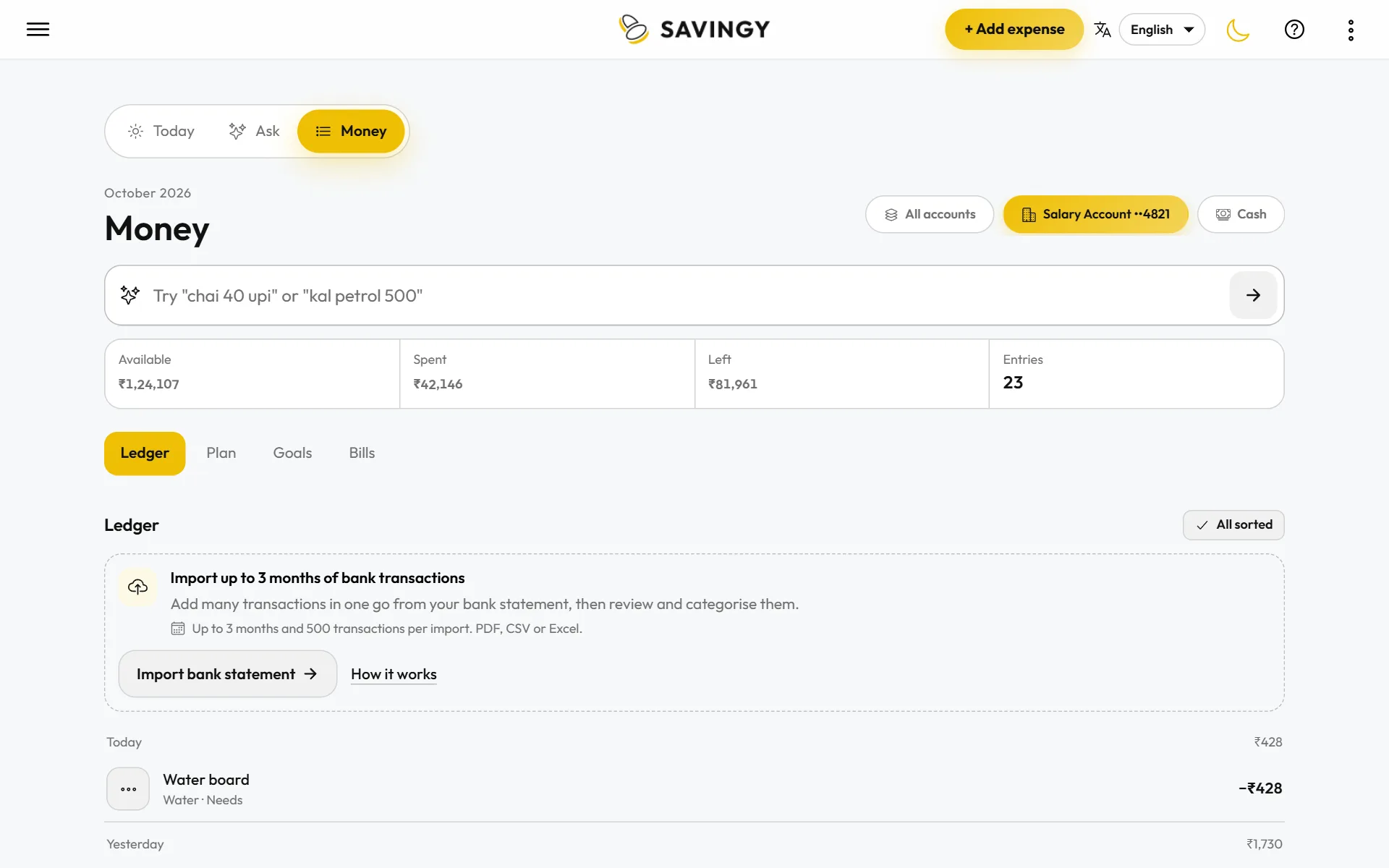
- 1Log an entry in plain words
- 2This month at a glance
- 3Jump to Ledger, Plan, Goals or Bills
Why use it
It is the one place to log, check and tidy this month without opening several screens.
Before you start
- You are signed in and have finished the guided start (Level 0).
The top of the page
- The month and the account selector. Pick an account to see only its money.
- The entry line. See /help-center/log-in-one-line.
- Available, Spent, Left and Entries for this month.
Ledger
This month's expenses grouped by day, with a total for each day. Rows Savingy couldn't sort say "Which category is this?" and the Ledger heading shows how many "need you". When everything is sorted it says "All sorted". Tap a row to move it to another category or delete it. "Show more" loads older rows, and "Search every month in Tracker" opens Tracker.
"Import bank statement" at the top of the Ledger opens Import Inbox (up to 3 months per import); "How it works" explains the steps.
Plan
One bar per category: spent of planned, with what's left and the % used, or how much it is over plan. "Edit plan" opens the Budget Planner. With no plan you see "No plan for this month yet" and a "Set one up" link.
Goals
A ring per goal shows how much is saved. Type an amount in "Amount" and press "Add" to put money toward it. "New goal" creates one.
Bills
Your active bill reminders by day of the month, with the amount and how many days away. "Manage bills" opens Goals & bills.
More tools
At the bottom: Tracker, Reports, Recurring, Accounts, Weekly reset and Data. Reports is a Pro feature.
If something goes wrong
Your plan could not be loaded. / Your records could not be loaded.
Press "Retry". If it keeps failing, check your connection and reload the page.
Money takes me to Get Started instead.
Money opens once you finish the guided start. See /help-center/level-0-guided-start.
Enter an amount to add.
Type an amount above zero in the goal's "Amount" box before pressing "Add".