Update your profile and personal details
Change your photo, name, email address, date of birth, phone number and address on Profile, then save. Profile is also where your account settings live.
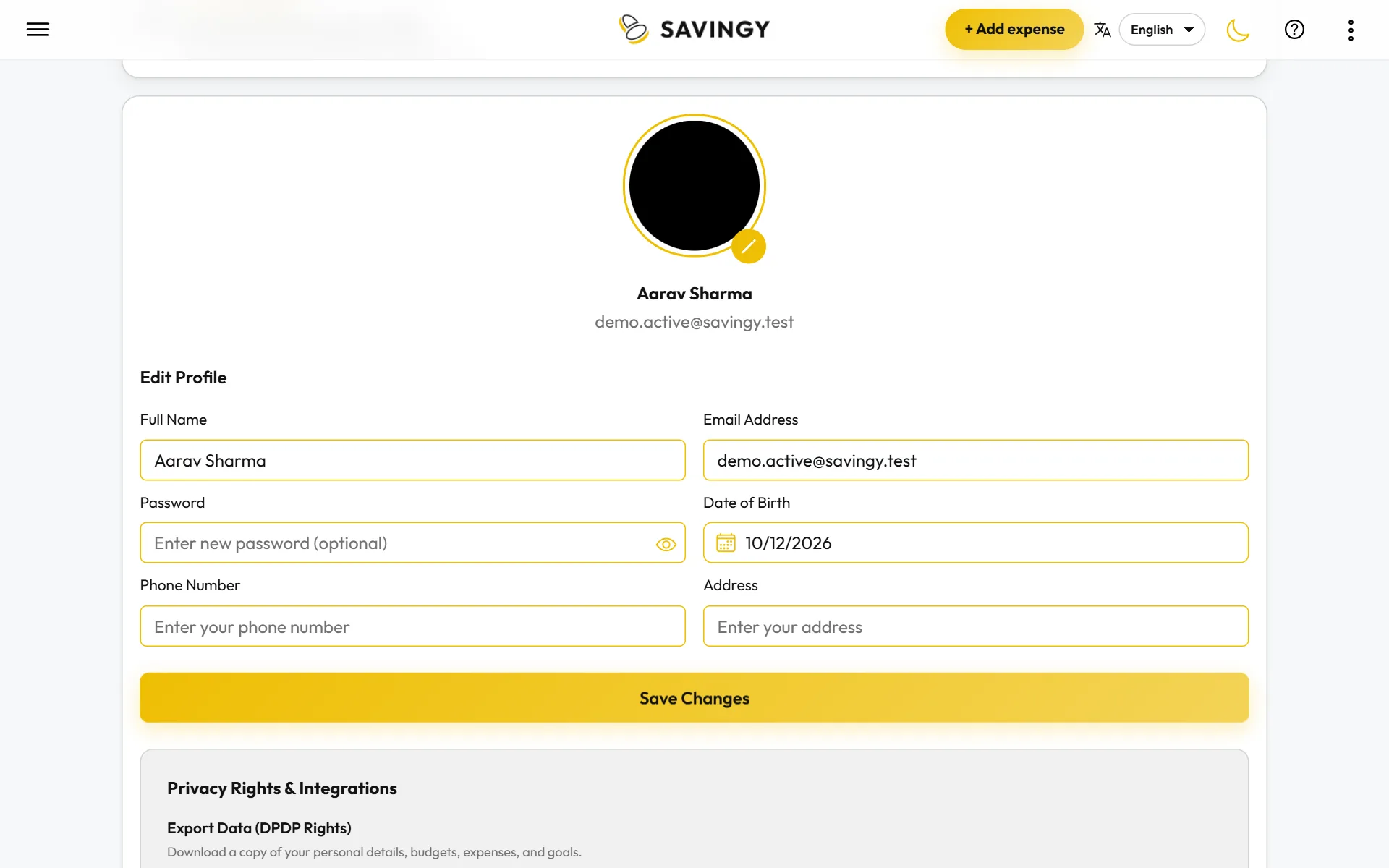
- 1Your details
- 2Save Changes
Why use it
Your name and photo appear in the menu, and your email address is where confirmation and password reset links go.
How to do it
Open Profile from the menu.
To change your photo, select the pencil on the picture and choose an image.
Under "Edit Profile", update "Full Name", "Email Address", "Date of Birth", "Phone Number" and "Address" as needed.
Select "Save Changes".
What happens next: "Profile updated successfully!" appears at the top and the menu shows your new name and photo.
What to fill in
| Field | What it needs |
|---|---|
| Full Name | Required ("Name is required"). |
| Email Address | Required and valid ("Email is required", "Invalid email format"). It cannot belong to another account ("That email address is already in use."). |
| Password | Leave empty to keep your password. See /help-center/change-or-reset-password. |
| Date of Birth | Pick from the calendar; future dates are not allowed. |
| Phone Number | Required, exactly 10 digits ("Phone number is required", "Invalid phone number (10 digits required)"). |
| Address | Required ("Address is required"). |
| Profile photo | JPEG, PNG or GIF under 5 MB. |
Changing your email address
When you save a new email address, Savingy sends a confirmation link to it. Until you confirm, password reset links may not reach you. See /help-center/verify-your-email.
Everything else on Profile
- "Confirm your email address", if your address is not confirmed yet.
- "Privacy Rights & Integrations": "Export Data (DPDP Rights)", "Consent & Tracking Preferences", "Connected Telegram Chatbot", "Language", "Display Currency" and "Reminder & Nudge Settings".
- "Danger zone": "Request account deletion" (see /help-center/delete-your-account).
- "Your Player Profile" with your coins, streak and achievements.
- The Family waitlist card, and your Pro trial status while a trial runs.
Tips and examples
- Phone number and address must be filled in before any change saves, even if you only change your name.
- If you have never set a date of birth, the field starts at today's date. Pick your real date before you select "Save Changes".
If something goes wrong
"Please fix the errors in the form"
Look for the red message under a field, usually "Phone Number" or "Address", correct it and save again.
"Only JPEG, PNG, and GIF images are allowed." or "Image size must be less than 5MB."
Choose a JPEG, PNG or GIF photo smaller than 5 MB. Photos in other formats, such as HEIC from some phones, need converting first.
"Failed to update profile. Please try again."
Check your connection and select "Save Changes" again.
"User ID not found. Please log in again."
Sign out, sign in again and repeat the change.