Change or reset your password
Forgot it? Request a reset link by email and set a new password. Signed in? Type a new one in Profile and save.
Why use it
A strong, private password keeps your money records safe.
How to do it
On the sign-in page, select "Forgot password?" under the "SIGN IN" button.
On "Forgot Password?", type the email address of your account in "Email address" and select "Send Reset Link".
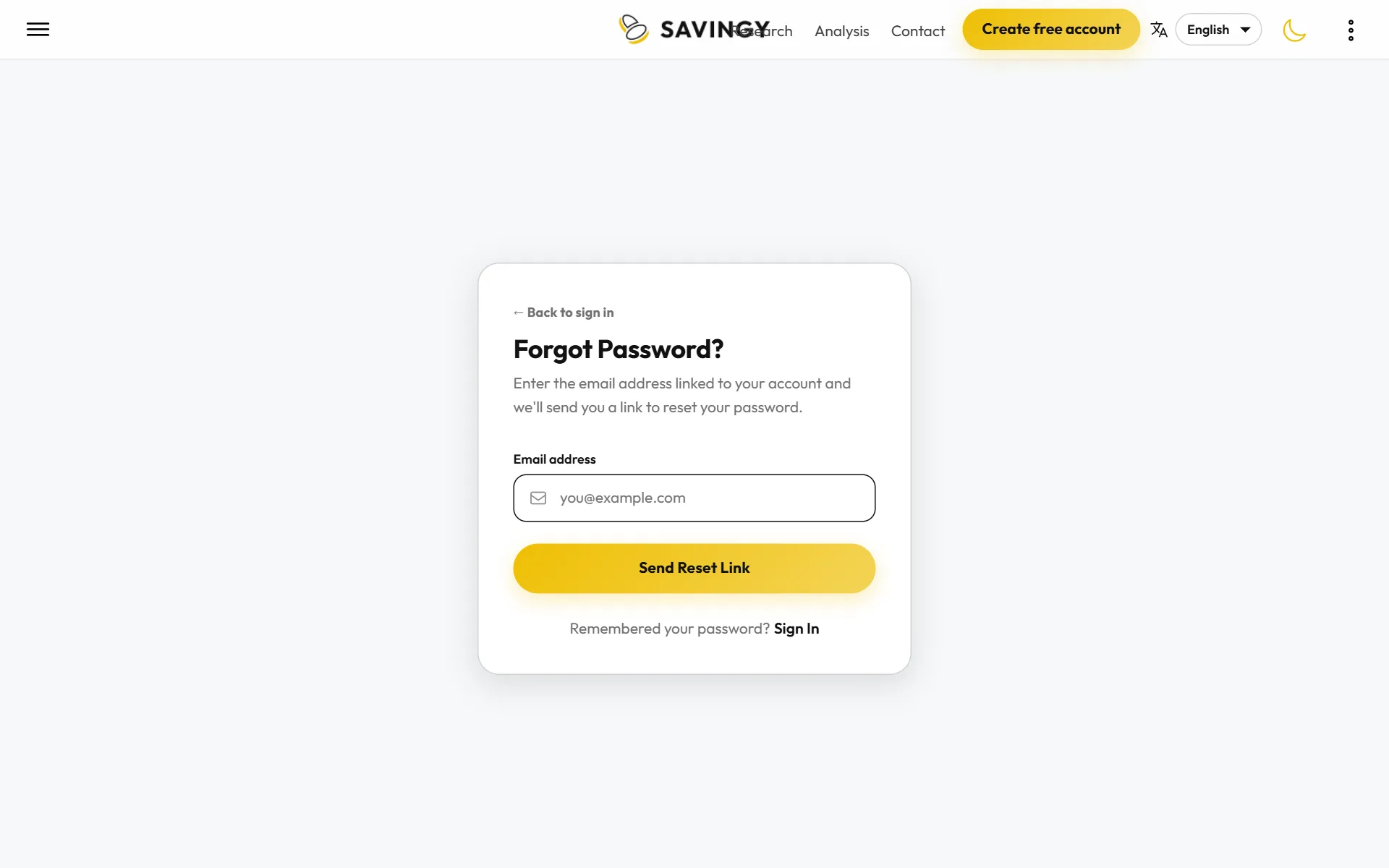
- 1The email address on your account
When "Check your inbox" appears, open the email from Savingy (check spam too). The link works for 1 hour.
Use the website link in the email ("Reset Password On Website Instead") if you are on a computer.
On "Set New Password", type a "New Password" of at least 6 characters and repeat it in "Confirm Password".
Select "Update Password", then "Sign In" with the new password.
What happens next: "Password Updated!" appears and you can sign in with your new password.
What to fill in
| Field | What it needs |
|---|---|
| Email address | Required and valid ("Please enter your email address.", "Please enter a valid email address."). |
| New Password | At least 6 characters ("Password must be at least 6 characters."). The strength bar is a guide only. |
| Confirm Password | Must match exactly ("Passwords do not match."). |
Change your password while signed in
Leave the field empty to keep your current password.
- Open Profile and find "Password" under "Edit Profile".
- Type the new password (at least 6 characters). Use the eye icon to check it, because there is no second box to confirm it.
- Make sure "Phone Number" and "Address" are filled in, then select "Save Changes".
Your other devices
Changing or resetting your password does not sign you out on other devices. If you think someone else used your account, sign out on every device you can reach, then contact support.
If something goes wrong
"No account found with that email address."
Try the other email addresses you use. If none works, contact support (/help-center/contact-support).
"Invalid or expired reset link. Please request a new one."
The link is older than 1 hour or was replaced by a newer one. Select "Request a new reset link" on the same page and use the newest email.
"Passwords do not match."
Type the same password in both boxes; use the eye icons to compare.
"Too many attempts. Try again in 15 minutes."
Wait 15 minutes before requesting another link.
"Server error. Please try again later."
Wait a few minutes and try again. If it persists, contact support.
The reset page sends you back to "Forgot Password?".
The page was opened without the code from the email. Open the link straight from the email.