Add entries for earlier dates and view past months
Backdate an expense or income to an earlier day or month, and look back at earlier months in Tracker and Plan.
Why use it
If you forgot to log something, or you're starting with older history, you can still file it in the right month.
Before you start
- You are signed in.
- For an expense in an earlier month, that month needs a plan, because the categories come from it.
How to do it
For yesterday, you can type "kal" or "yesterday" in the Money line, for example "kal petrol 500".
For any other earlier date, open Add Record and fill in the amount.
Next to the amount, choose "Yesterday" or "2 days ago", or open the date box and choose the day. Future dates can't be picked.
The Period (the month and year the entry counts toward) follows the date. You find it under "Receipts & more" if you need to change it.
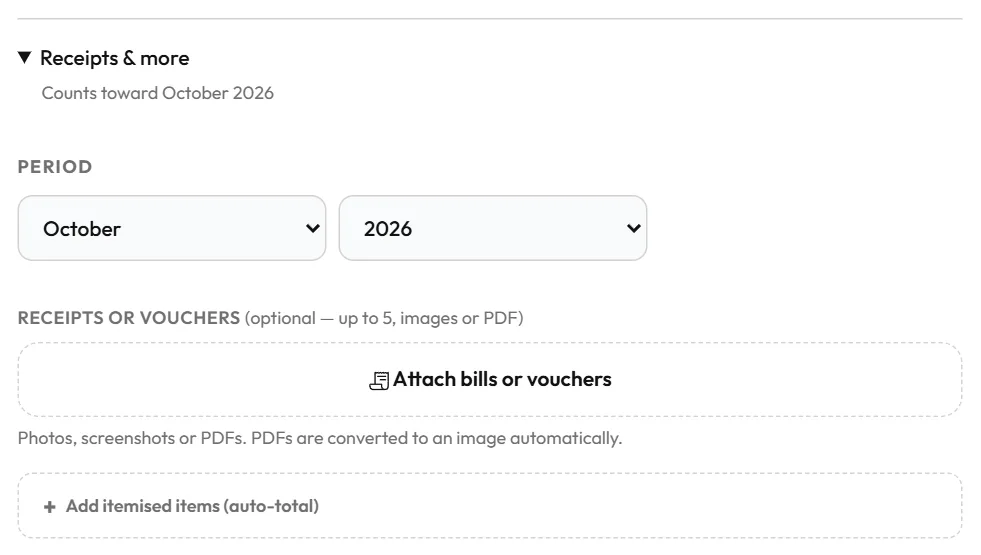
- 1Set the month and year here
Pick the category and subcategory. The choices reload from that month's plan.
Press "Save" (the form stays on that day for the next one) or "Save & done".
What happens next: The entry appears in Tracker under that month, and counts toward that month's plan.
Looking back
- Tracker: use the arrows next to the month to step back through every month.
- Plan: use "Previous month" to look back up to 12 months, with spent against planned for each item.
- Budget Planner: choose any month and year at the top to see or change that month's plan, or create one.
- Money shows only the current month. Entries for earlier months don't appear in its Ledger.
A month without a plan
Choosing a Period with no plan shows "Set up your budget categories to start logging expenses." Create the plan first: open Menu › Plan, step back to the month, choose "Step by step", check that the month and year at the top are right, and save. "Plan it in one line" always builds the current month, so use "Step by step" for earlier months.
Income for an earlier month doesn't need a plan.
Lots of older entries
To bring in many months at once, import a bank statement. See /help-center/import-a-statement.
Tips and examples
- Receipts attached to income in an earlier month aren't kept. Attach receipts to expenses, or to income in the current month.
If something goes wrong
Set up your budget categories to start logging expenses.
The Period you chose has no plan. Create one in the Budget Planner for that month, then come back.
Something went wrong. Please try again. (when saving an older expense)
Check that the Date and the Period are in the same month, and that the month has a plan.
My backdated entry isn't on Money.
Money shows the current month only. Open Tracker and step back to that month.