Sign in to Savingy
Sign in with your email address or username and your password. Savingy takes you back to your guided setup or, once that is done, straight to Ask.
Why use it
Signing in brings back your records, plan, goals and Pro access on any computer or phone browser.
How to do it
Open the ⋮ menu at the top right and choose "Sign In / Join". The "Sign In" tab opens.
Type your email address or username in "Email or Username", then your password in "Password".
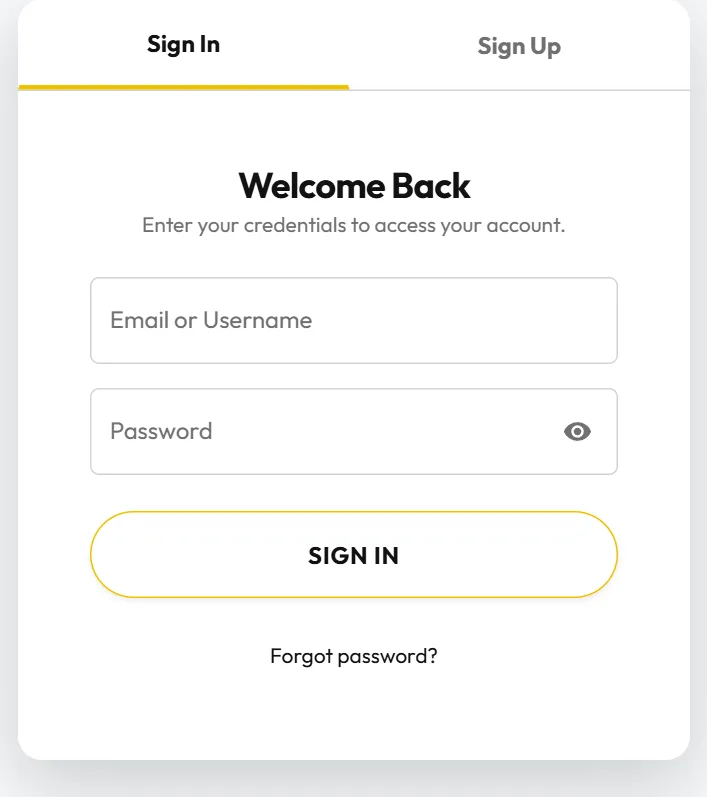
- 1Email or Username
- 2Password, with the eye icon to show it
Complete the "I'm not a robot" check.
Select "SIGN IN".
What happens next: If you have not finished the guided setup, you go back to it where you left off. Otherwise Savingy opens Ask; Today, Money and every other screen are in the menu.
Staying signed in
You stay signed in across the tabs of this browser. If your session ends, every open tab returns to the sign-in page and you simply sign in again. See /help-center/signed-out-unexpectedly if this happens often.
Need a walkthrough?
Select "Need Help?" at the top right of the account page for a short tour of the sign-in card.
If something goes wrong
"Login Failed" with "Invalid credentials."
Check the email or username and the password (use the eye icon). If you have forgotten the password, select "Forgot password?" under the button.
"Security Check" with "Please verify you are not a robot."
Tick the "I'm not a robot" box again, then select "SIGN IN" straight away.
"Missing Info" with "Please fill in all fields."
Fill in both "Email or Username" and "Password".
"Too many attempts. Try again in 15 minutes."
Several failed attempts came from your connection. Wait 15 minutes, or reset your password in the meantime.