See what spending less on one category would keep
On Plan, pick a category and slide to make it 0 to 60% lighter for the rest of the month. Savingy shows how your month-end balance would change. Nothing is saved.
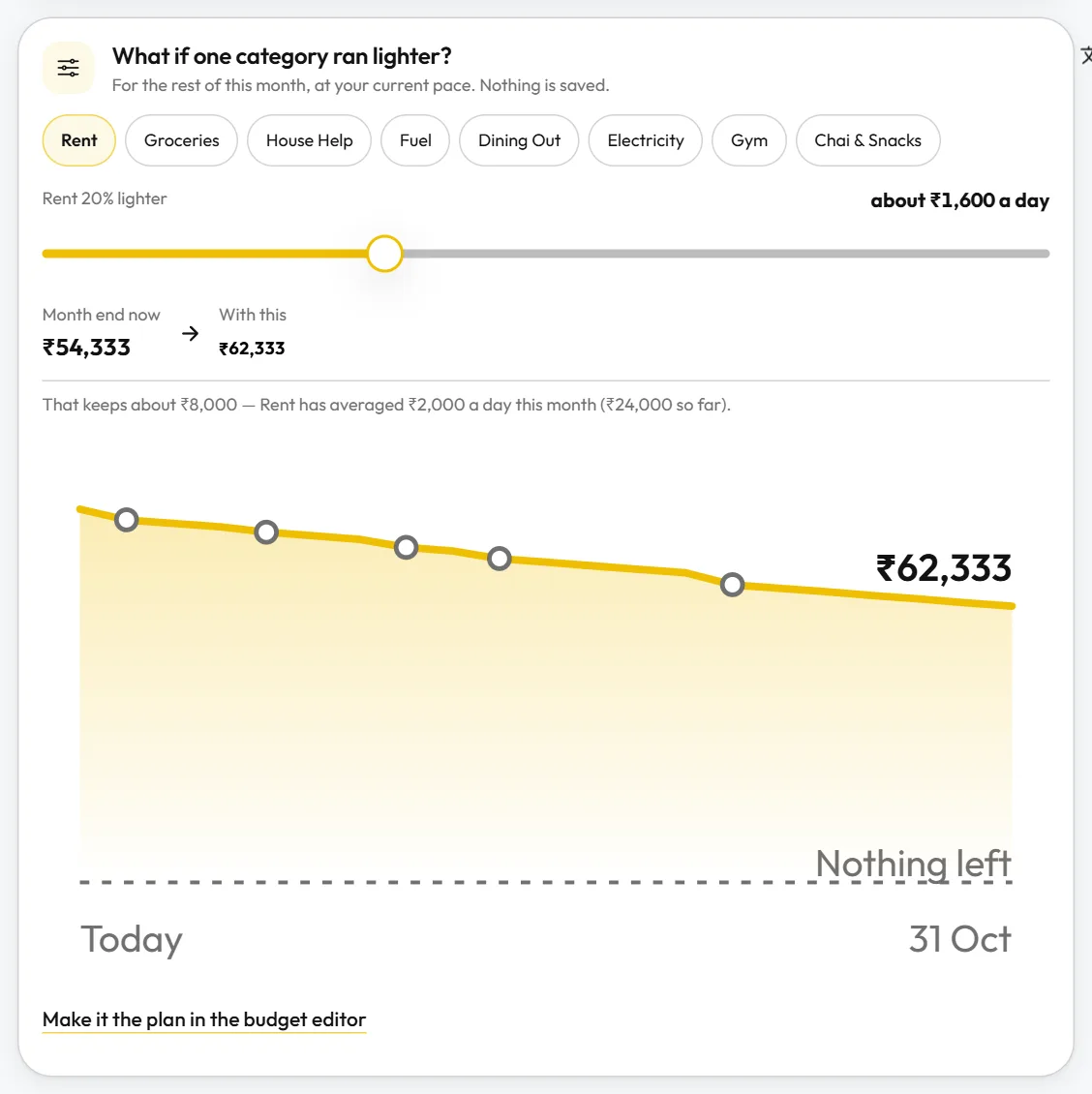
- 1Pick a category
- 2Slide to spend less
- 3Month end now and with this
Why use it
It shows whether cutting back on one thing, like eating out, is worth it before you change your plan.
Before you start
- A plan for the current month.
- Some spending logged this month.
How to do it
Open Plan on the current month and scroll to "What if one category ran lighter?".
Tap a category. The chips show up to eight everyday categories with the most spending this month.
Drag the slider. The label shows how much lighter, and "about ₹… a day".
Compare "Month end now" with "With this". The chart shows your money day by day to month end, with known bills marked.
If you want to keep the change, press "Make it the plan in the budget editor" and lower that item there.
What happens next: You see how much more you'd keep by month end at the lighter pace.
How it's worked out
It takes the category's average daily spend this month and assumes the rest of the month runs that much lighter. It's a preview only and changes nothing.
When the card doesn't show
The card is hidden while the page loads, on earlier months, when the month has no plan, and when nothing has been spent yet this month.