See your Pro periods and purchases in Order history
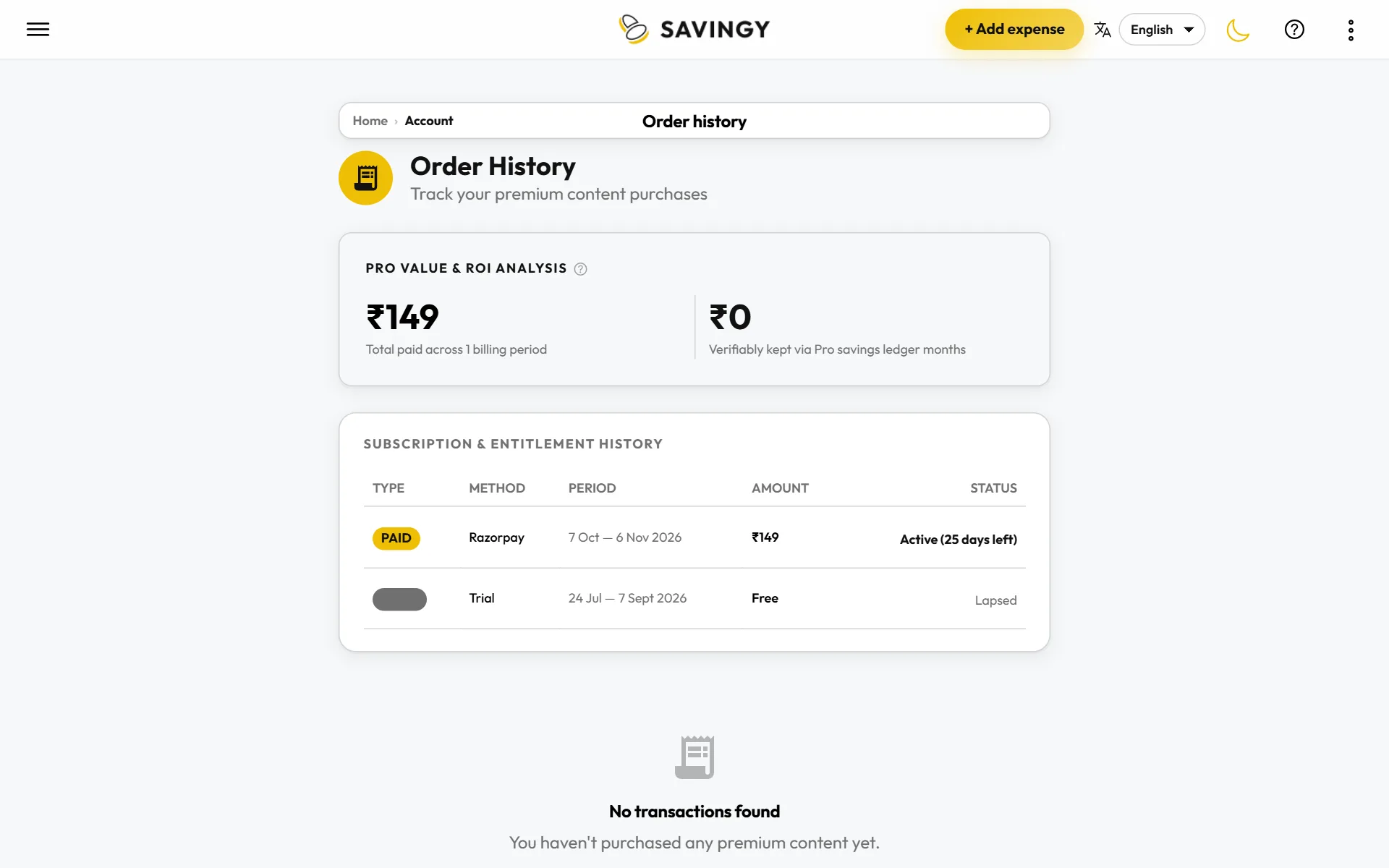
Order history lists every trial and paid Pro period with its dates, method and status, plus any premium articles you bought.
- 1Your trial and paid periods
Why use it
To check when your Pro started and ends, how you paid, and what you have bought.
Access: Not available during the Level 0 guided start.
How to do it
Open Moves from the menu (GROW › "Moves"). On a phone, tap ☰ ("Toggle Navigation Sidebar") or "More" first.
Scroll to the bottom and tap "Transactions".
Read "Subscription & Entitlement History" for your Pro periods, and the list below it for article purchases.
What happens next: You see the page titled "Order history".
Subscription & Entitlement History
One row per Pro period, newest first.
- Type: "Trial" or "Paid".
- Method: how it was granted, for example Razorpay, Wallet (coins) or Trial.
- Period: start and end dates.
- Amount: what you paid, or "Free" for the trial.
- Status: "Active (N days left)" or "Lapsed".
Pro Value & ROI Analysis
The total you have paid for Pro periods, next to the amount Savingy verified you kept in closed months.
Article purchases
Premium articles you unlocked one at a time, with the date, method and amount. Tap "Load More" for older ones. If you have none, it says "No transactions found". Pro payments are not in this list; they are in the history above.
Tips and examples
- Order history is about Pro and purchases only. Your incomes and expenses are in Tracker.
If something goes wrong
"Subscription & Billing Anomaly Detected"
Savingy found something in your billing records that doesn't line up. If you added time before your previous period ended, it can show "Overlapping paid subscription periods detected." even though your end date is right. If you are unsure, email support@savingy.com with what the banner lists.
"Failed to load transaction history."
Reload the page. If it continues, sign out and sign in again.
"No active subscription or free trial found."
You have not had a trial or paid period on this account. If you paid, see /help-center/payment-taken-pro-locked.