Buy 30 or 365 days of Pro
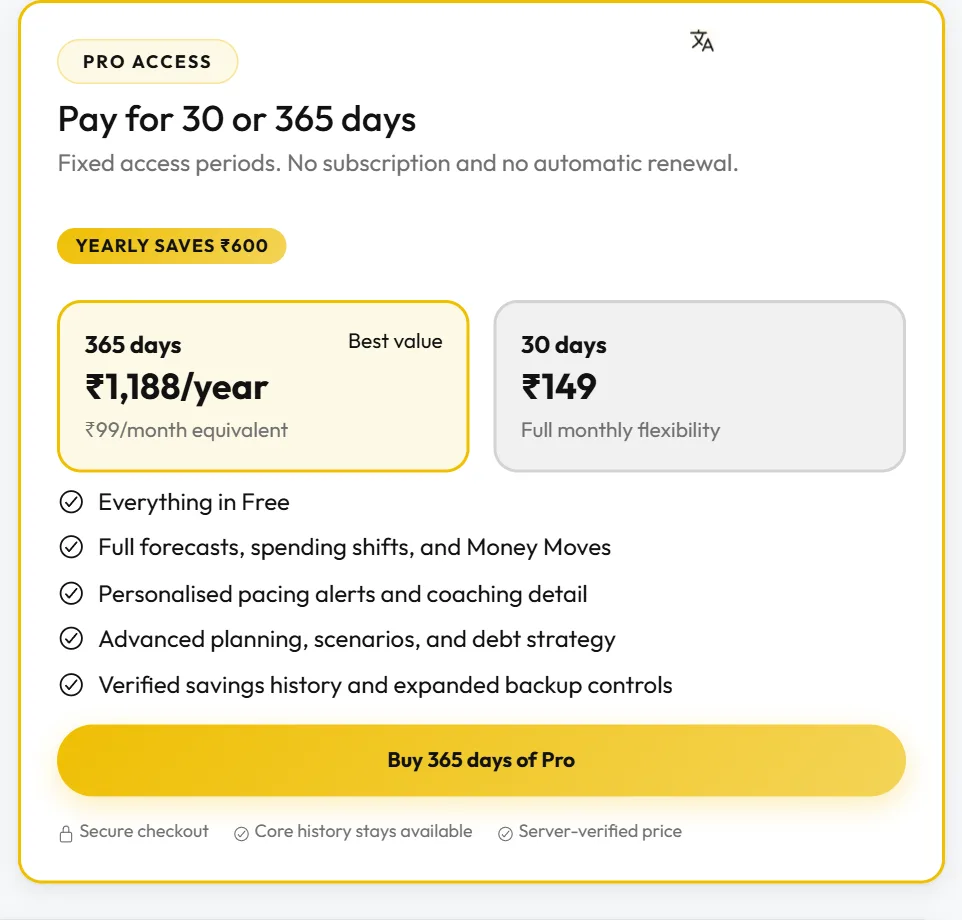
Choose 30 days for ₹149 or 365 days for ₹1,188 on the Pricing page and pay in Razorpay's secure checkout. Pro turns on as soon as Savingy confirms the payment.
- 1Choose the access period
- 2Opens secure checkout
Why use it
To get Pro after your trial, or without a trial, for a fixed period you choose.
Access: You need to be signed in. Signed out, the Pricing page shows only a Free and Pro comparison and "Start Free".
Before you start
- You are signed in to the Savingy account that should get Pro.
- You do not have an active trial or paid period. While you do, Pricing shows "Open Savingy" instead of a Buy button. To add time to a paid period, see /help-center/pro-period-ends.
How to do it
Open the Pricing page. Wait until the plan options appear; while Savingy checks your account it shows "Confirming your Pro access…".
Under "Pay for 30 or 365 days", choose "365 days" (₹1,188/year, marked "Best value") or "30 days" (₹149). "365 days" is selected when the page opens.
Tap the gold button. It reads "Buy 365 days of Pro" or "Buy 30 days of Pro" to match your choice, and shows "Opening secure checkout…" while it loads.
Razorpay's secure payment window opens over the page. Pay there.
Stay on the page until Savingy confirms. You then see "Pro access confirmed" with your end date, the amount and a short payment reference.
What happens next: "Pro access confirmed" shows, for example, "30-day access through <date>". Every Pro screen then shows "Pro is active until <date>".
Prices and periods
- 30 days: ₹149.
- 365 days: ₹1,188, about ₹99 a month. The page shows "Yearly saves ₹600" compared with twelve 30-day periods.
- Both give the same Pro features. Savingy checks the price on its server, so the amount you pay is always the one shown.
- Your exact end date appears on the confirmation and in Order history. Go by that date.
Nothing renews automatically
Each purchase is a fixed access period. There is no subscription, nothing to cancel, and no automatic renewal. When the period ends you go back to Free and keep your data. Buy another period whenever you want.
Buying from a Pro screen
After your trial or paid period ends, Moves, Ahead and Statement show the same choice. The button reads, for example, "Try Pro for ₹149", "Keep Pro for ₹1,188/year" or "Restore Pro · ₹149". It uses the same secure checkout, and the screen unlocks as soon as the payment is confirmed.
On the app
Buy Pro on the website. Pro belongs to your Savingy account, so it also applies when you sign in to the Android app with the same account.
Tips and examples
- Pay from the account you want Pro on. A payment is linked to the account that started it.
- Pricing has a "Payment support" link at the bottom that opens the Contact page.
If something goes wrong
"Checkout closed. No new charge was made."
You closed the payment window. Nothing was charged. Tap the Buy button again when you are ready.
The payment failed or the window would not open.
See /help-center/payment-failed.
Money left my account but Pro is not on.
Do not pay again. Follow /help-center/payment-taken-pro-locked.
There is no Buy button.
If the page shows "Open Savingy", you already have Pro or a running trial. If it says it could not confirm your access, see /help-center/pro-status-unknown.