Claim your 50-coin Weekly Reset reward
Finishing your Weekly Reset earns 50 Savingy Coins, once a week, straight into your wallet.
Why use it
Coins reward the habit of reviewing your week. You can see and use them in your wallet.
Before you start
- You have opened Weekly Reset this week.
How to do it
Go through "Your week in 60 seconds" or tick every item in "Reset checklist".
On the "Wrap up" card, select "Finish the reset and claim 50 coins". Or, when "Week reset complete" appears below the checklist, select "Claim 50 Savingy Coins".
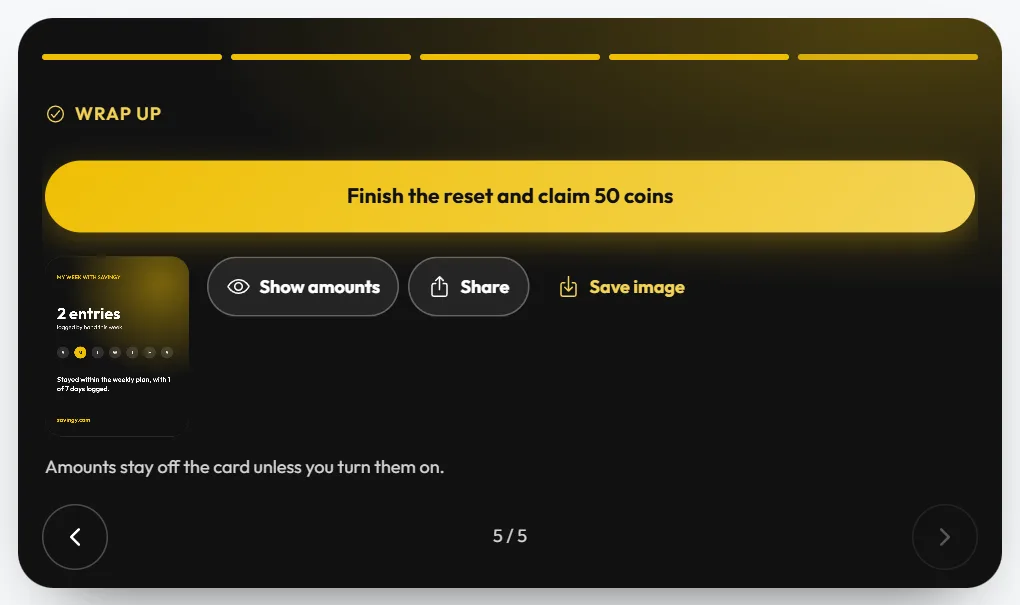
- 1Finish the reset and claim 50 coins
- 2Share image preview
What happens next: You see a confirmation such as "+50 coins — Weekly Reset completed" or "50 Savingy Coins claimed successfully!", and "50 Savingy Coins Claimed!" with "Check your wallet to verify balance."
How often you can claim
The reward is paid once per calendar week (Monday to Sunday). If you claim again in the same week you see "Weekly Reset reward already claimed for this week." and nothing extra is credited.
After you reload the page, the claim button can show again even if you already claimed. Pressing it is safe: you only get the "already claimed" message.
What coins are
Coins are Savingy's reward points. They are not money and cannot be withdrawn. See /help-center/coins-and-wallet for what you can do with them.
If something goes wrong
"Could not claim reward. Please try again."
Check your connection and press the button again. You are never credited twice.
"Weekly Reset reward already claimed for this week."
You have had this week's reward. Come back next week.
I don't see the claim button under the checklist.
It appears only when every checklist item is ticked. You can also claim from the story's "Wrap up" card.