Share your referral code and earn coins
Share your personal code from Refer & Earn. When a friend redeems it in the Savingy Android app, you get 50 coins and they get 25.
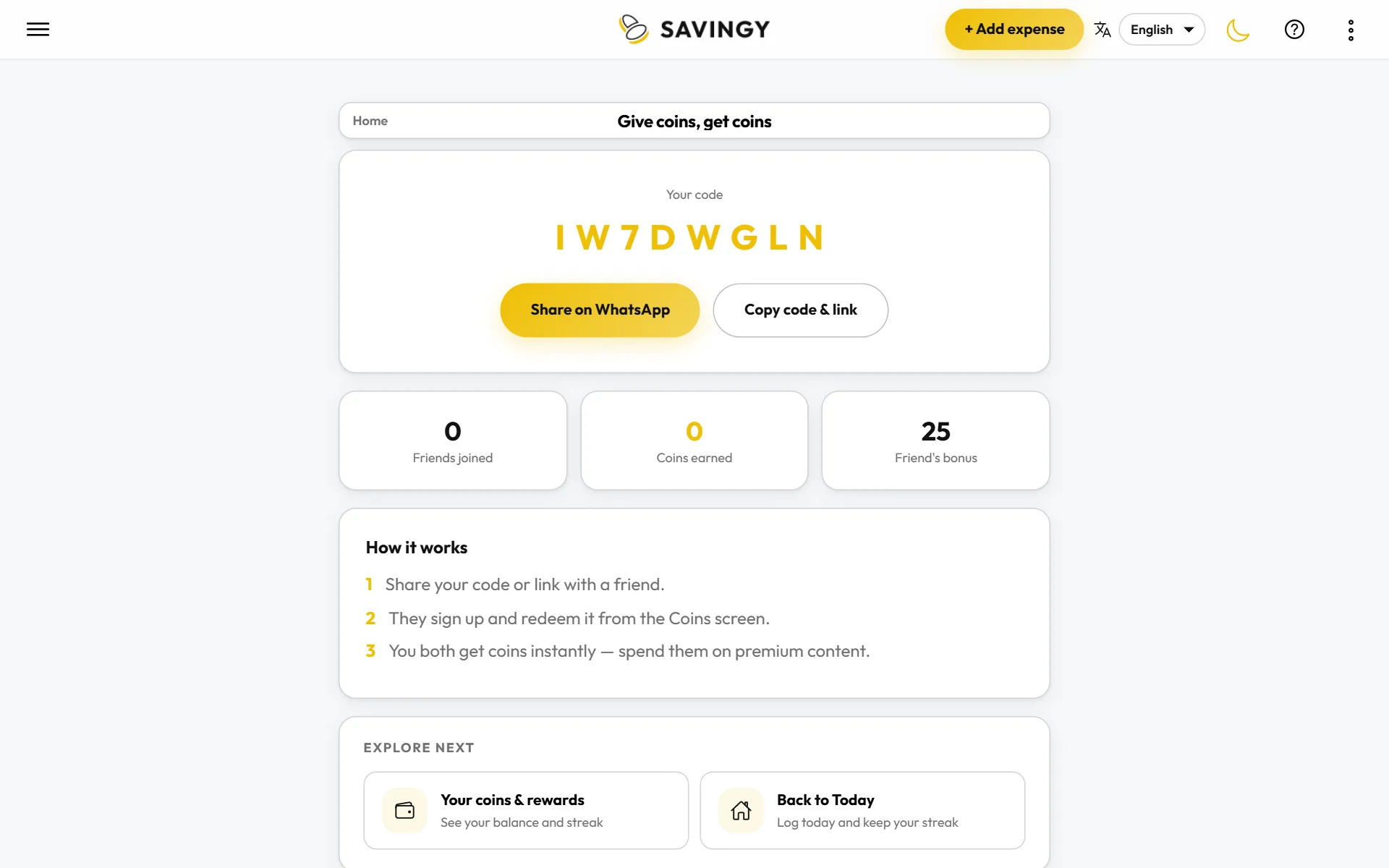
- 1Your code
- 2Copy code & link
Why use it
To invite friends to Savingy and earn coins for both of you.
Access: Not available during the Level 0 guided start.
How to do it
Tap ⋮ ("Open More Actions Menu") in the header and choose "Refer & Earn".
Your code is under "Your code". Tap "Copy code & link" (it changes to "Copied ✓"), or use the share button beside it to send a ready-made message.
Send your friend the code itself. They need to type it in.
Your friend creates a Savingy account, opens the Android app, goes to Wallet, taps "Have a friend's code?", enters your code and taps "Redeem".
What happens next: Both wallets are credited at once: 25 coins for your friend and 50 for you. "Friends joined" on your Refer & Earn screen goes up by one.
Where codes can be redeemed
Codes are redeemed only in the Savingy Android app (Wallet › "Have a friend's code?"). The website has no box for entering a code, and the link in the share message does not open a sign-up page on the website. Share the code, not just the link.
Rules
- Each account can redeem one code, once.
- You can't redeem your own code.
- "Coins earned" on Refer & Earn is the number of friends who joined multiplied by 50.
If something goes wrong
"Invalid referral code."
Check the code for typos. Codes are letters and numbers, usually 8 characters.
"You have already redeemed a referral code."
Your friend's account has already used a code. Only one is allowed.
"You cannot redeem your own code."
Your friend needs to enter your code in their own account.
Refer & Earn says "Log in to get your code" although I am signed in.
Your code could not load. Reload the page. If it continues, sign out and sign in again.
My friend opened the link and saw "Lost in the Numbers?" (page not found).
The link does not work on the website. Ask your friend to sign up at savingy.com and redeem the code in the Android app.